No one reads your WhatsApp over your shoulder
At work, at home, or at the cafe. Your chats vanish on their own when you leave the screen. Move your mouse and everything comes back.
Free. No sign-up. Opens in the Chrome Web Store.
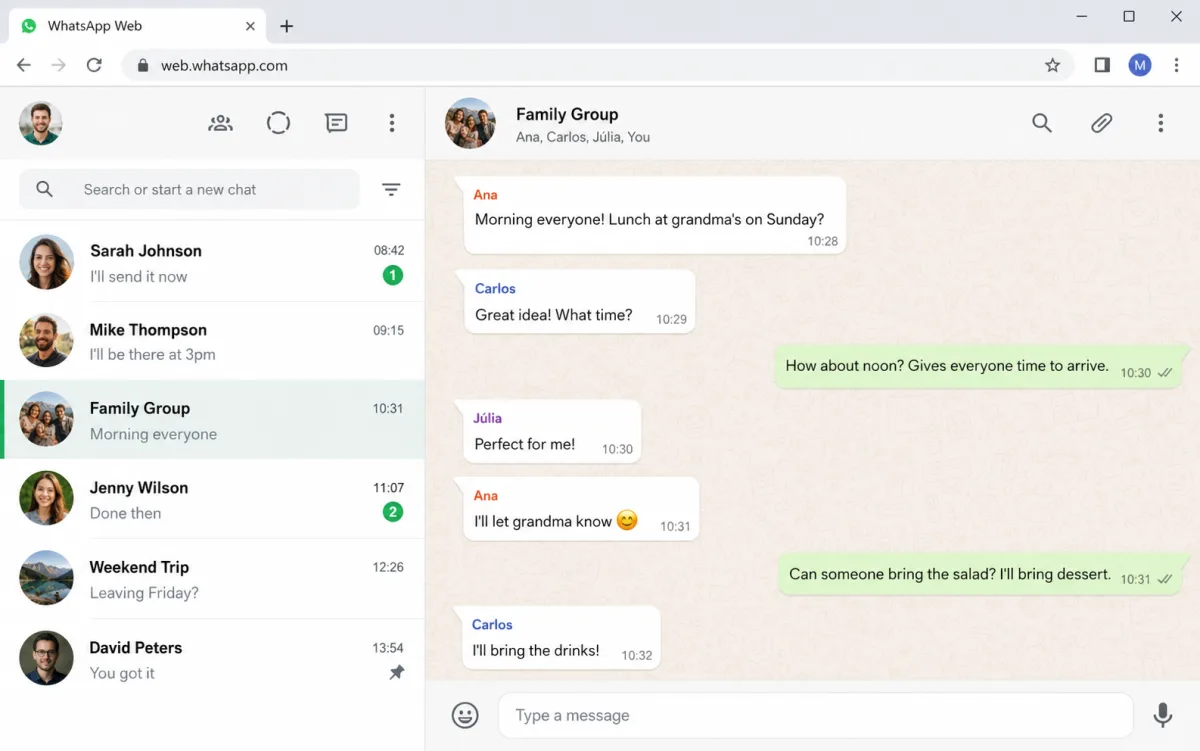
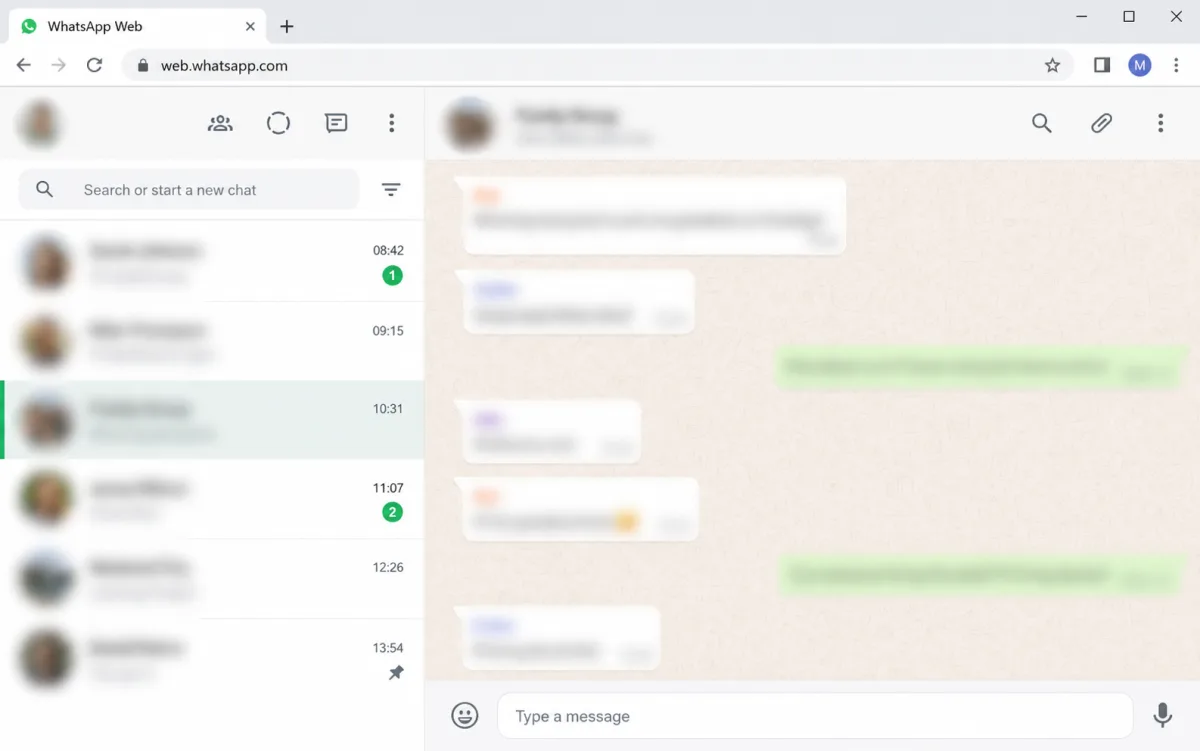
You know that feeling
It's not just awkward. It's your client list, deal values, and personal matters on screen for anyone walking by.
Your boss walks behind your desk
A coworker next to you sneaks a look
Someone sits behind you at the cafe
Complete protection for your conversations
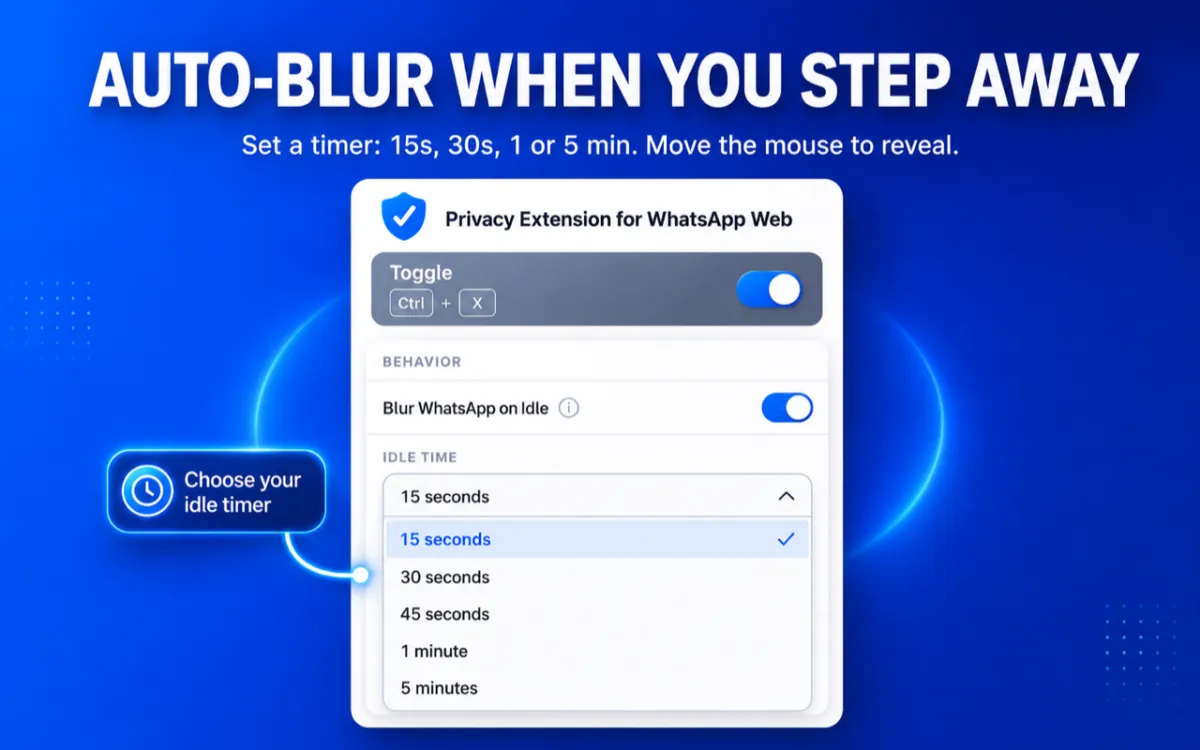
Step away and everything disappears
Stopped using your computer? Conversations blur on their own. You pick the delay: 15s, 30s, 45s, 1 min, or 5 min. Moved your mouse? Everything's back.
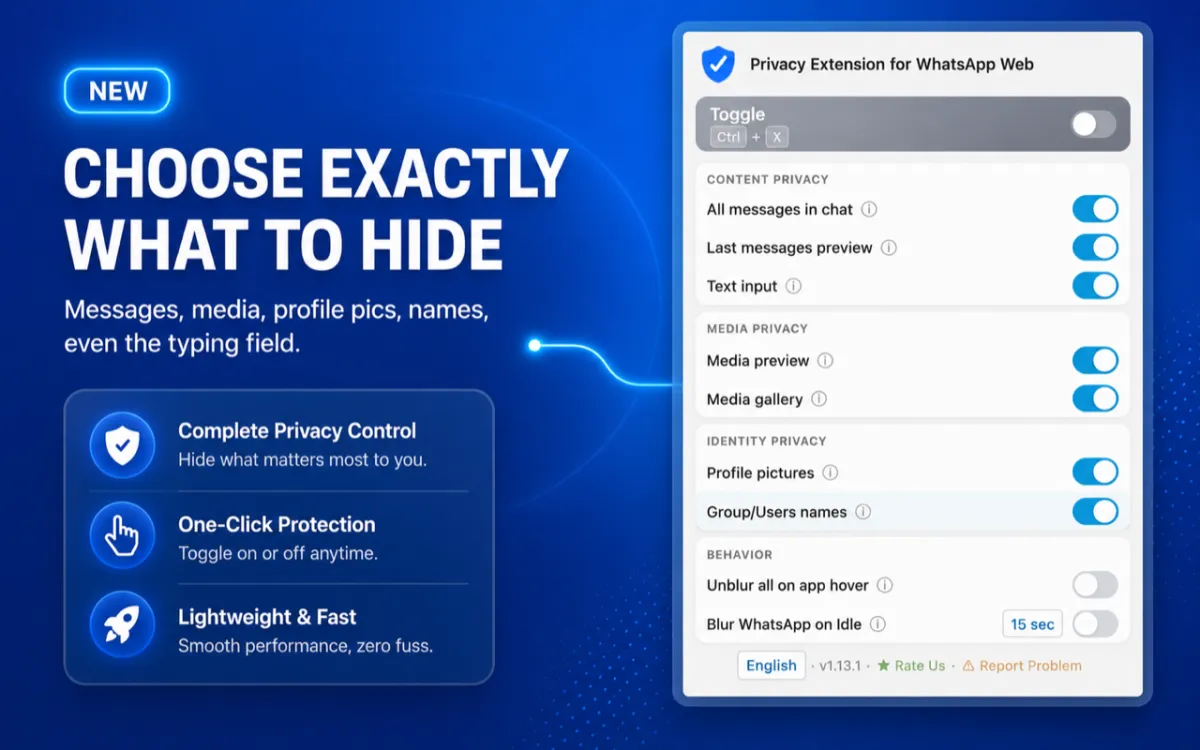
You decide what stays visible
Messages, photos, videos, contact names, the typing field. Choose what to hide. Everything else stays normal.
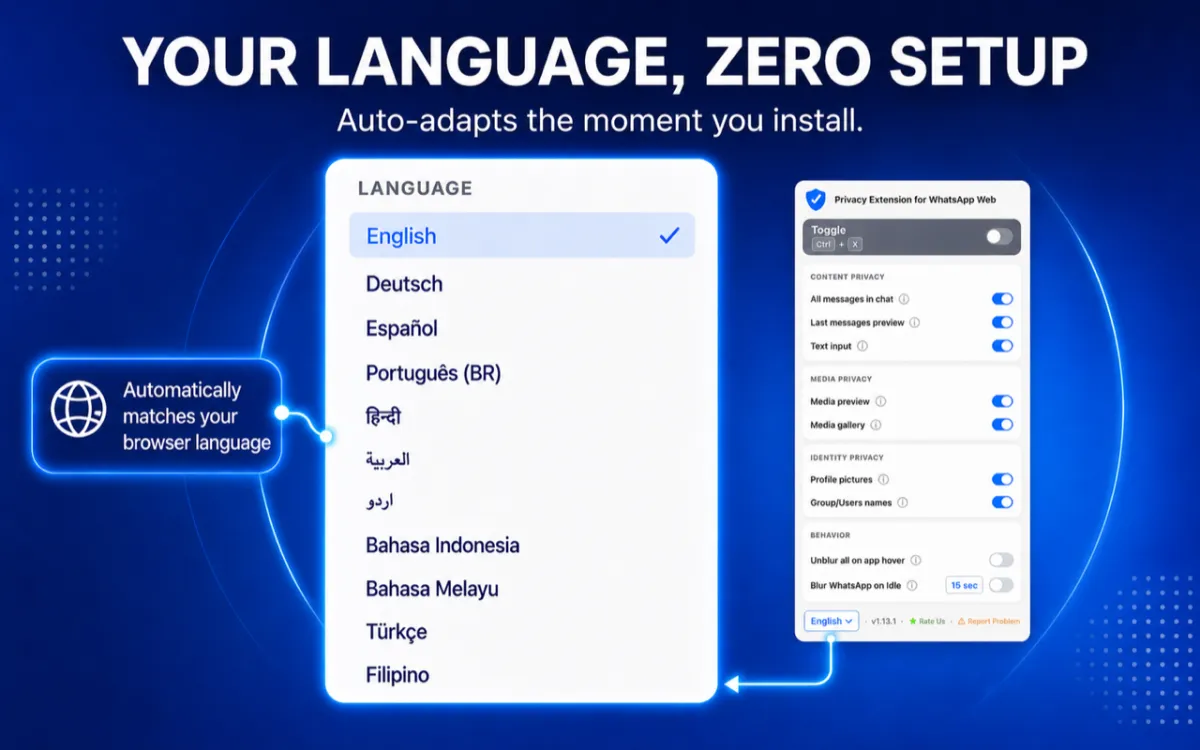
Works in your language
English, Portuguese, Spanish, and 8 more languages. The tool detects your browser and adapts on its own.
Zero friction in your day
Hover and it all comes back. No delay. Quick toggle: Alt+X (Windows) or Ctrl+X (Mac). WhatsApp Web stays fast.
Built for people who sell on WhatsApp
Sales reps, SDRs, receptionists, brokers, support teams. Any professional who uses WhatsApp Web at work.
Set up once, use on any PC
Signed into Chrome? Your preferences are already there. Only settings sync. Your messages, never.
"Really good! It would be nice to have a feature to unlock only with a password."
Lucas Avila, on the Chrome Web Store
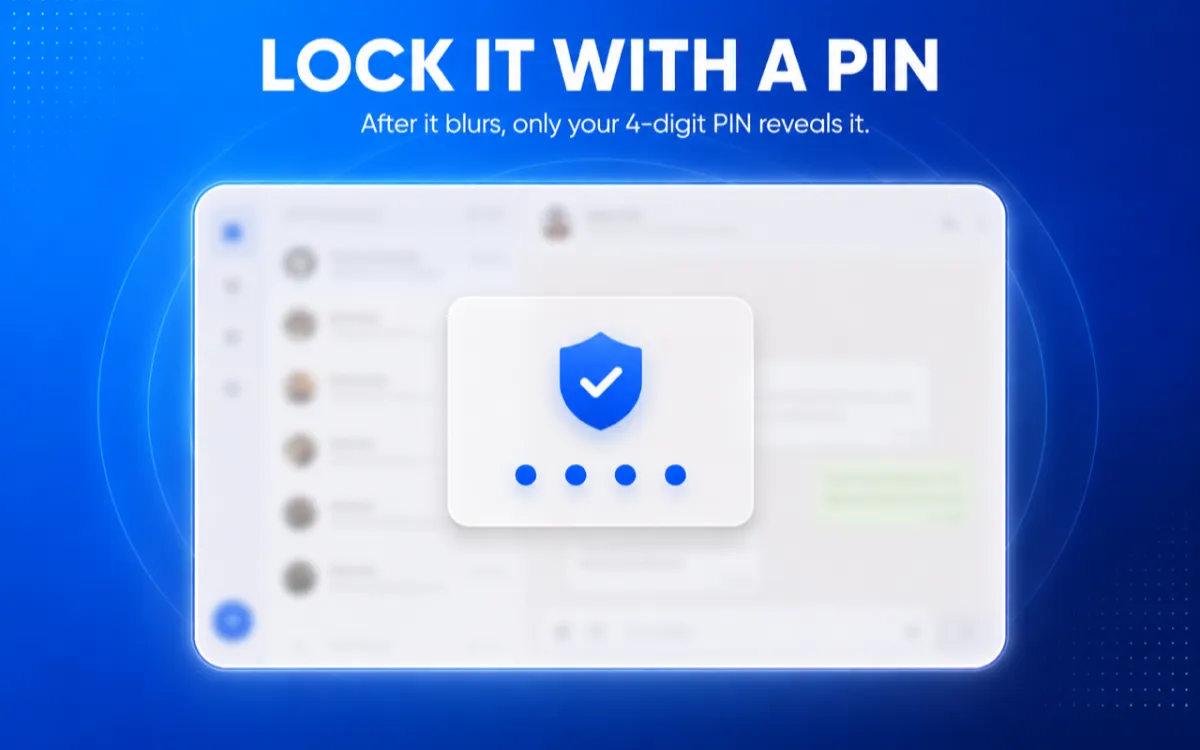
Want more than blur? Lock it with a PIN.
Turn on the 4-digit PIN. Once the screen blurs, only your PIN reveals the chats again.
Why this extension and not another blur tool?
Where you stay protected
Protection for any situation where WhatsApp is on your screen.
Working at the office
Coworkers walk behind your screen all day. The tool hides names, photos, and conversations automatically. Nobody sees who you're chatting with.
Videos and screen recordings
Phone number visible in the recording = strike on YouTube. The platform detects personal data and can remove your video. Lock it with the Alt+X shortcut and record the whole session with everything hidden. No editing afterward.
Home or shared PC
The family computer or a machine shared at work. Your chats stay protected even when you step away.
People who use it recommend it
Rated 5.0 on the Chrome Web Store, reviewed by real users.
"I used to leave WhatsApp open on my PC, and it always worried me. This extension gave me peace of mind."
Helder Brazão
Chrome Web Store
"For a corporate environment it's amazing. And being able to choose what stays hidden makes it even better."
Nilber Joaquim
Chrome Web Store
"Excellent extension. Especially in professional settings. Having it in my own language helps a lot, and it's free."
Carla Jatahy
Chrome Web Store
"So good! It takes privacy seriously and it's really simple to use."
Kaio Bessa
Chrome Web Store
"Helps a lot with privacy at work. Everything works really well, all in my own language."
Vinícius Gomes
Chrome Web Store
"Works perfectly. Such a useful extension, and free. Found it through Reddit."
Bruno Henrique
Chrome Web Store
How does it work?
Install the tool
One click on the Chrome Web Store. Less than 10 seconds. No sign-up.
Open WhatsApp Web
Go to web.whatsapp.com as usual. Protection turns on by itself.
Done. No one sees your conversations
Left the screen? Everything blurs. Came back? Everything shows. Simple as that.
Your data stays with you
The tool doesn't collect, store, or transmit any information. Everything runs in your browser.
Frequently asked questions
Is it really free?
Yes. 100% free. No paid version, no subscription, no purchases. Nothing hidden.
Is it safe? Does it access my messages?
No. The tool doesn't read, collect, or store anything. It runs entirely in your browser. Your messages never leave your computer.
How fast does it blur?
You choose: 15s, 30s, 45s, 1 min, or 5 min. Stopped using the computer and the timer ran out? Everything blurs. Moved your mouse? Everything's back.
Does it work on mobile?
No. The tool is for desktop browsers only (Chrome, Edge, Brave, and Opera). On mobile, use WhatsApp's native privacy settings.
Does anyone know I'm using it?
No. Nobody knows. The tool only changes what you see in your browser. No data is sent.
Can I use it to record videos for YouTube?
Yes. YouTube detects personal data visible in screen recordings (phone numbers, emails, names, photos). This can lead to strikes and video removal. The tool hides everything in real time, with no editing needed afterward. Works for recordings and live streams.
How does the PIN lock work?
It's optional. You set a 4-digit PIN and, once the screen blurs from inactivity, only the PIN reveals your chats again. It works even if you close and reopen the browser.
What if I forget the PIN?
No problem. Since everything runs locally and nothing is collected, just turn off the PIN in settings or remove and reinstall the tool. Your data never leaves your computer.
Install now and never worry again
Free. No sign-up. Your conversations become invisible in seconds.
Install Free